Alipay for Public Transport: Your Ticket to Riding Like a Local

Alipay for Public Transport: Your Ticket to Riding Like a Local
Remember when I told you China would spoil you for life with those $1.20 DiDi rides? Well, buckle up — we're about to add another layer to your "I can never go back" experience. We're talking about using Alipay for public transport — metros and buses — all without ever pulling out a wallet, transport card, or fumbling with coins.
In China, your phone isn't just a communication device. It's your wallet, your transport card, your everything. And once you experience the seamless convenience of tapping your phone to ride the metro or bus, going back to physical cards or cash is going to feel like using a rotary phone.

What Is Alipay and Why You Need It
Alipay (支付宝) is one of China's two payment giants — WeChat Pay being the other. While you've already set up WeChat Pay, Alipay has some features that make it particularly excellent for public transport. Think of WeChat as your Swiss Army knife and Alipay as your specialized transport tool — both essential, both serving slightly different purposes.
The beauty of Alipay's transport feature? It's specifically designed for getting you on metros and buses with zero friction. No buying tickets, no reloading transport cards, no keeping track of balances. Just open, scan, done.
If you need to set up Alipay from scratch: download it from the Tencent App Store, create an account with your phone number, link your international bank card, and verify your identity. The app walks you through these steps, and just like WeChat, the English version is perfectly functional. Takes about 5 minutes.
Setting Up Transport Mode
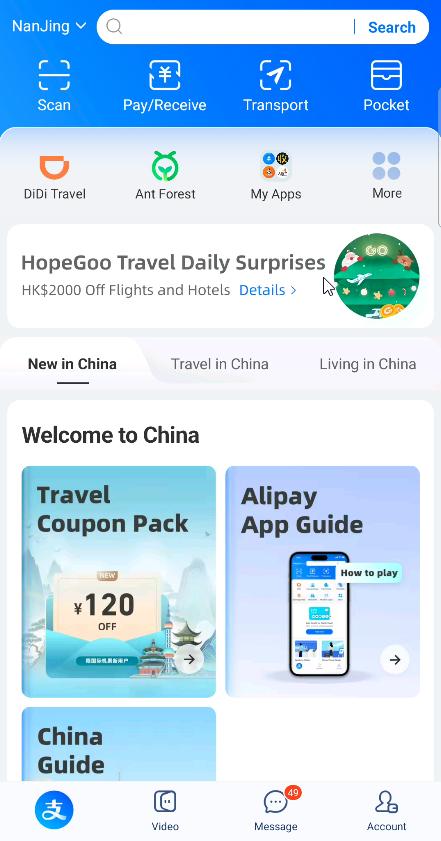
Here's where Alipay really shines. Look at the top menu bar in the app — you'll see a clearly labeled "Transport" button. It's in English, you can't miss it.
Step-by-step setup:
Open Alipay
Tap "Transport" at the top menu
The app will either auto-detect your city or ask you to select it
Choose whether you're riding metro or bus
A QR code instantly appears
That's it. No loading money onto a card. No calculating fares. No keeping track of expiration dates. The system automatically charges your linked payment method based on where you enter and exit.
Here's something brilliant — the city-switching magic. Alipay knows where you are. When I was living in Nanjing and took a trip to Shanghai for the weekend, the app automatically switched from "Nanjing Metro" to "Shanghai Metro" when I opened it in Shanghai. It just works. Nationwide. No fiddling with settings, no downloading new apps, no buying new cards for each city. This is one of those "the future is here" moments that you'll want to video and send to friends back home.
Riding the Metro and Bus Like a Local
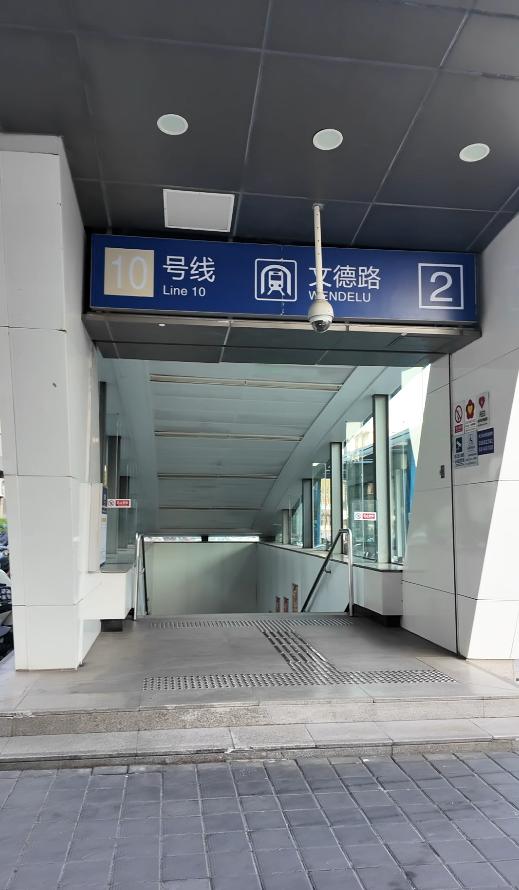
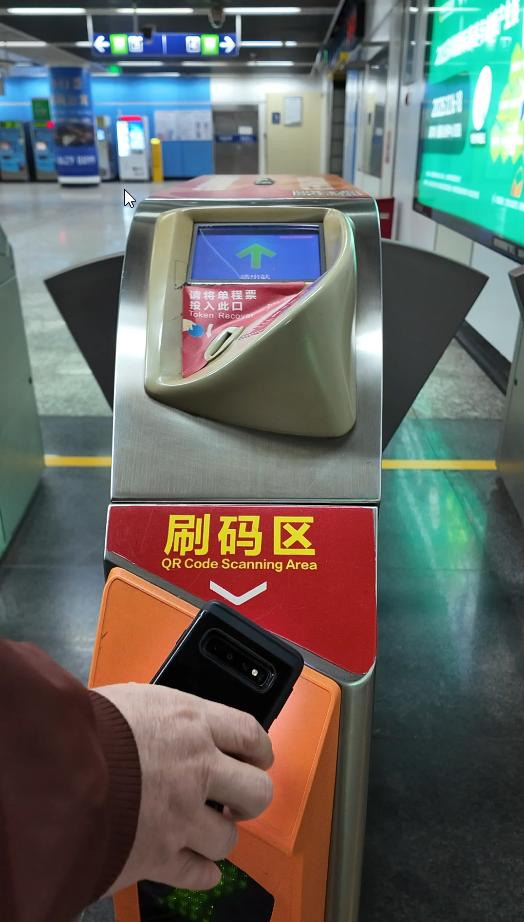
Metro stations in China have dedicated QR code scanning areas at both entry and exit gates. Here's your routine:
Entering the metro:
Open Alipay
Tap "Transport"
Select "Metro"
Hold your phone's QR code up to the scanner
Gates open — walk through
Exiting the metro:
Pull up your QR code again (yes, you need to scan twice)
Hold it to the exit scanner
The system calculates your fare based on distance traveled
Money is automatically deducted
You'll see a notification showing "Station exited" and "Fare will be deducted later." The charge typically appears in your transaction history within minutes, and we're talking pocket change — most metro rides in Chinese cities run between ¥2–6 ($0.30–0.90 USD).

Buses work slightly differently, and this varies by city. In Nanjing, it's a flat fee system — you tap your QR code when boarding, and that's it. No exit scan needed. The fare is fixed (usually ¥2, about $0.30) regardless of how far you ride. Jump on, pay your 30 cents, ride across the city, hop off whenever. Some cities require both boarding and exit scans, similar to metros. The app adapts to whatever system your city uses. Pro tip: watch what locals do — they're your best guide, and they'll give you the "what are you doing?" look if you try to scan unnecessarily.
Troubleshooting, Pro Tips, and the No-Wallet Life
Common issues and how to fix them:
Scanner won't read your QR code? Turn up screen brightness, clean your screen, hold the phone steady about 6 inches from the scanner. If it's bright outside, cup your hand around the screen to reduce glare.
Code disappeared? The QR code refreshes every 60 seconds for security. Just tap "Transport" again and it regenerates instantly.
App asking for verification? Alipay occasionally requires fingerprint, face ID, or PIN authentication before generating your transport code. This is normal — especially if you haven't used the app in a while. Just verify and you're good.
A few pro tips from someone who's been there:
Keep some cash as a backup. Yes, I just spent half this guide telling you how you'll never need your wallet, but keep ¥100 ($15) somewhere in your bag or apartment for true emergencies. Better safe than sorry.
Screenshot your transaction history. If you're tracking expenses or need receipts for reimbursement, Alipay keeps detailed records. Just screenshot them periodically.
What if your phone dies? Honestly, you're stuck. This is the one downside of the all-digital lifestyle. Keep a small portable battery pack or at least keep your phone charged above 20%. Alternatively, cities have powerbank rental vending machines everywhere — you can grab a charged powerbank on the go for a few yuan.
Let me paint you a picture of my daily life here: I wake up, grab my phone, and leave my apartment. No wallet. No cash. No cards. No transport card. I use Alipay to scan onto the metro, buy breakfast from a street vendor, pay for lunch on Meituan, grab a coffee, scan onto a bus, order dinner delivery, and pay utilities — all from one device. This isn't some futuristic fantasy. This is everyday China. And once you experience it, going back to carrying a physical wallet feels as outdated as carrying a paper map.