WeChat — Your Digital Lifeline in China


Why WeChat Isn't Optional
Let me be brutally honest with you: without WeChat, you're not surviving in China — you're just existing, and poorly at that.
I'm not exaggerating. WeChat (微信 — Wēixìn in Chinese) isn't just a messaging app like WhatsApp or Facebook Messenger. It's the entire operating system of daily life in China. It's your wallet, your ID card, your taxi service, your food delivery app, your utility bill payment system, your movie ticket, your train booking platform, and yes — also your messaging app.
Here's what happens when you don't have WeChat:
Can't pay for anything (most places don't even accept cash anymore)
Can't order food delivery
Can't book a DiDi ride
Can't pay your utility bills
Can't buy movie tickets
Can't even add colleagues or make friends (everyone exchanges WeChat IDs, not phone numbers)
This is the single most important app on your phone for living in China.
Getting Started: Signup + WeChat Pay Setup
Here's the good news: as of 2025, the signup process has gotten much easier for foreigners. You can sign up with your international phone number AND verify your account by adding an international credit card at the same time. This kills two birds with one stone — you get your account verified AND you get WeChat Pay activated immediately.

Step 1: Download WeChat
Go to the Google Play Store or Apple App Store and search for "WeChat." Make sure you're downloading the international version (it'll be in English). Download and install it.
Step 2: Sign Up
When you open WeChat, you'll see two options: "Log In" and "Sign Up." Hit "Sign Up."
You'll see two signup options: Sign up via Mobile (RECOMMENDED) and Sign up via Facebook. Choose "Sign up via Mobile" — it's way simpler and you'll need to provide your phone number anyway.
Enter your phone number (your home country number works fine), create a password, and hit "Accept and Continue."
Step 3: The Verification Challenge
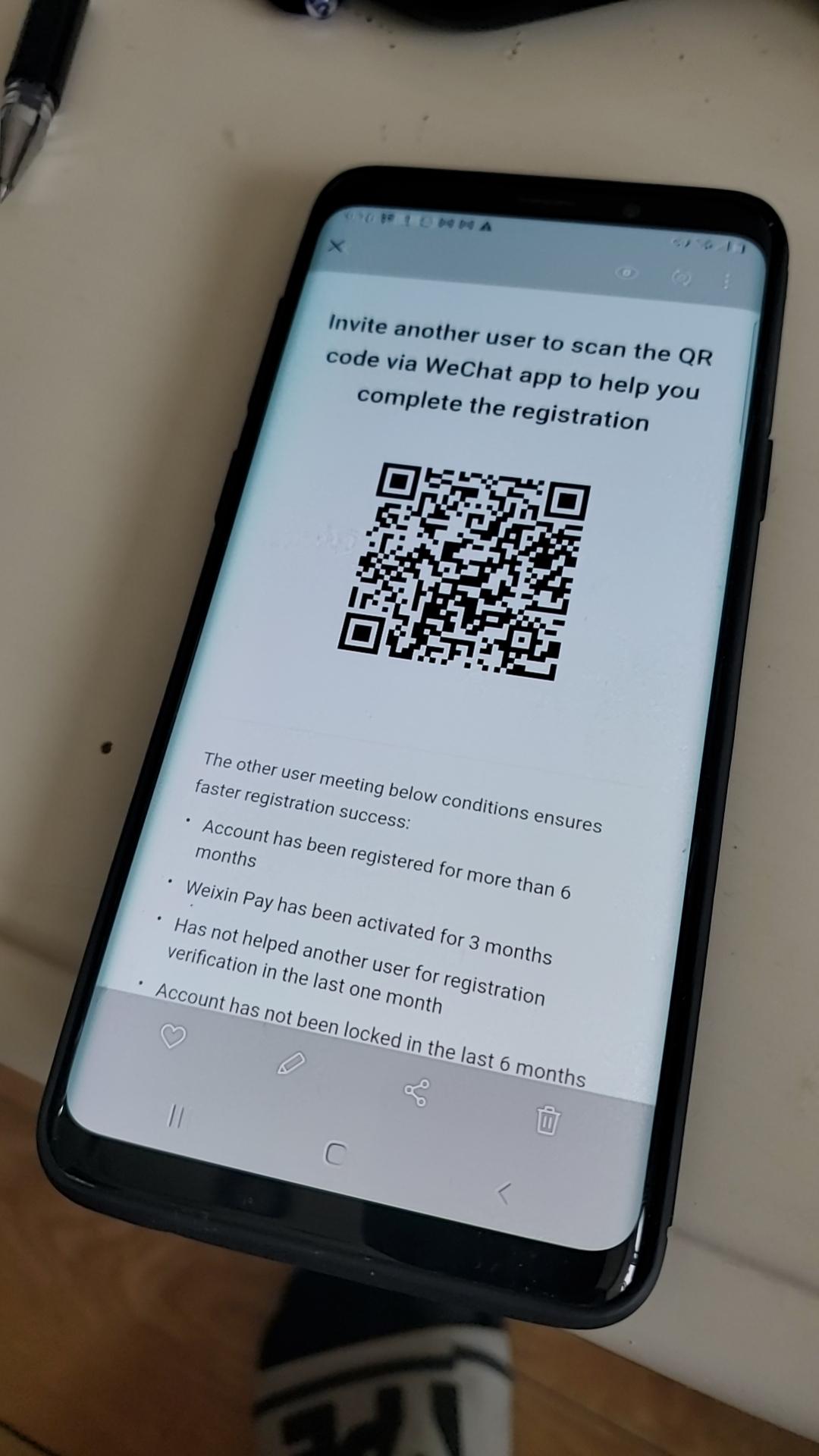
Here's where it used to get tricky, but now it's straightforward. WeChat will ask you to verify your account. You'll see a screen that says something like: "Invite another user to scan the QR code via WeChat app to help you complete the registration."
Don't panic! You have multiple verification options now.
Option A: Friend Verification — If you have a friend or colleague who already has WeChat, they can scan your QR code. BUT there are requirements: their account must be 6+ months old, they've activated Weixin Pay for 3+ months, they haven't helped verify someone else in the last month, and their account hasn't been locked in 6 months.
Option B: Payment Card Verification (EASIEST for new arrivals) — Here's the game-changer: You can verify by adding an international payment card. WeChat will walk you through adding a Visa, Mastercard, Amex, JCB, or Discover card. Once you add it, you're verified AND you've got WeChat Pay activated. Two birds, one stone.
Let's do Option B since it's the most practical for incoming teachers.
Step 4: Activate WeChat Pay via Payment Card
Once you're past the initial signup screens, go to: Me → Pay and Services → Wallet
If you don't see "Wallet," go to: Me → Settings → General → Features → WeChat Pay → Enable
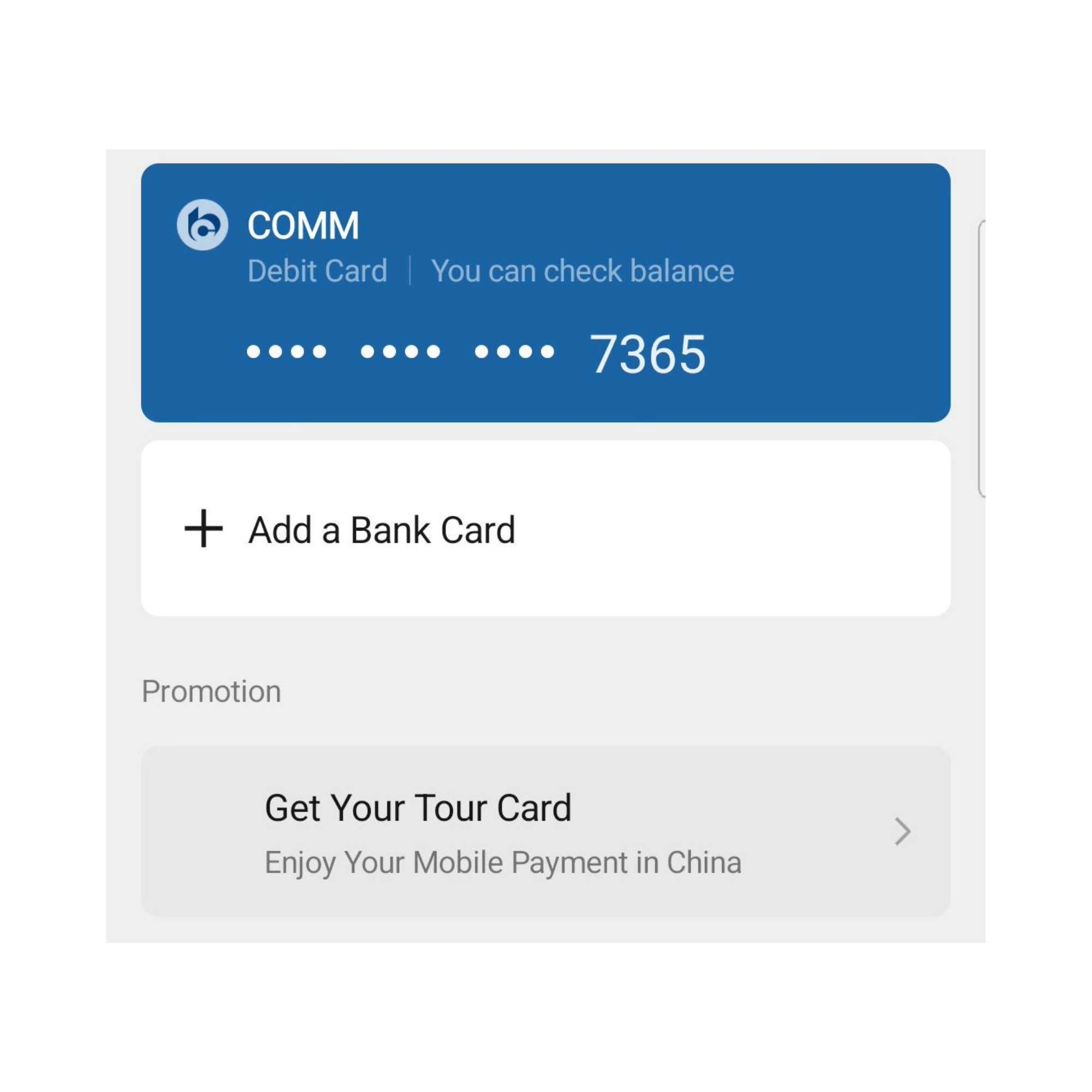
Now you'll see the option to add a bank card: Wallet → Bank Cards → Add a Bank Card
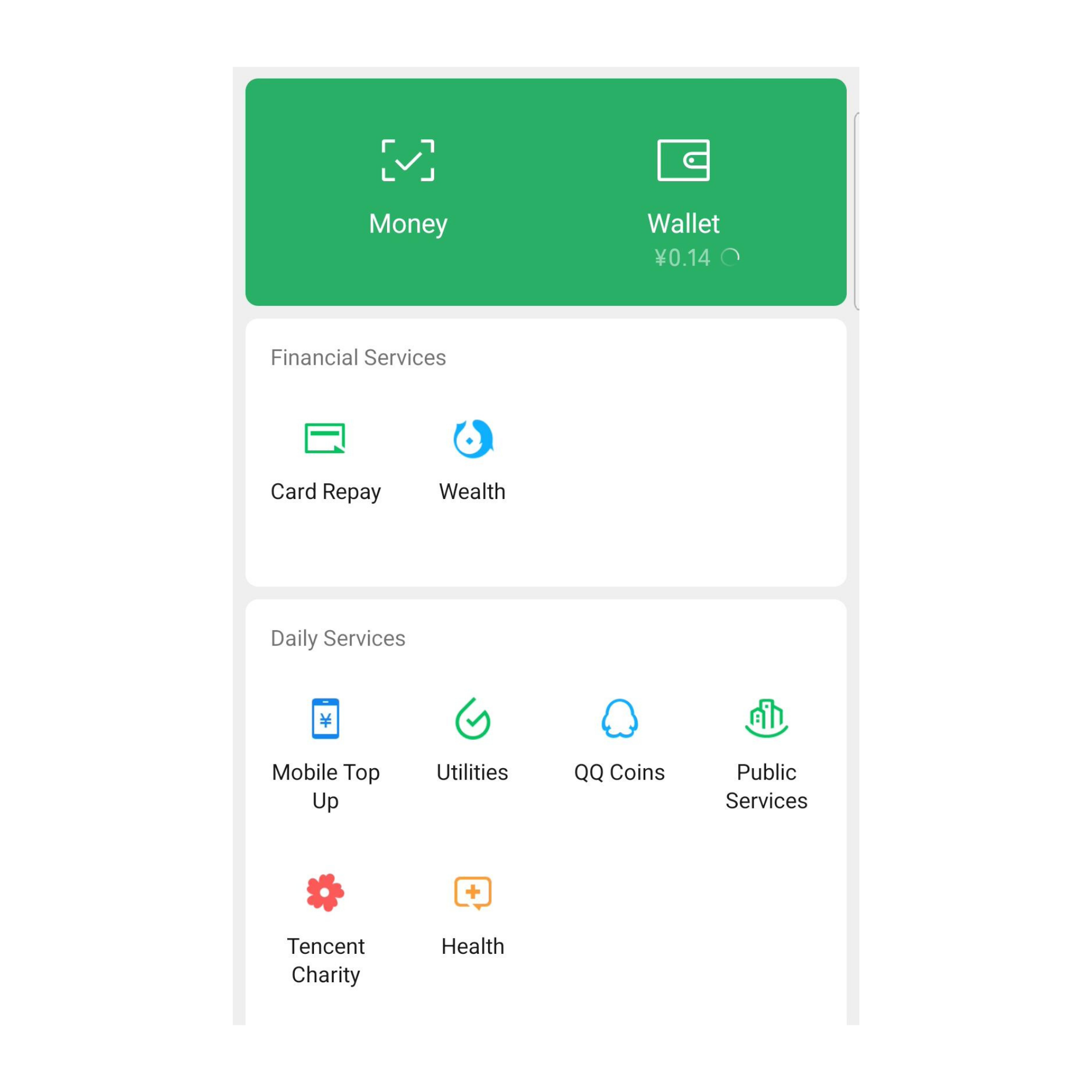
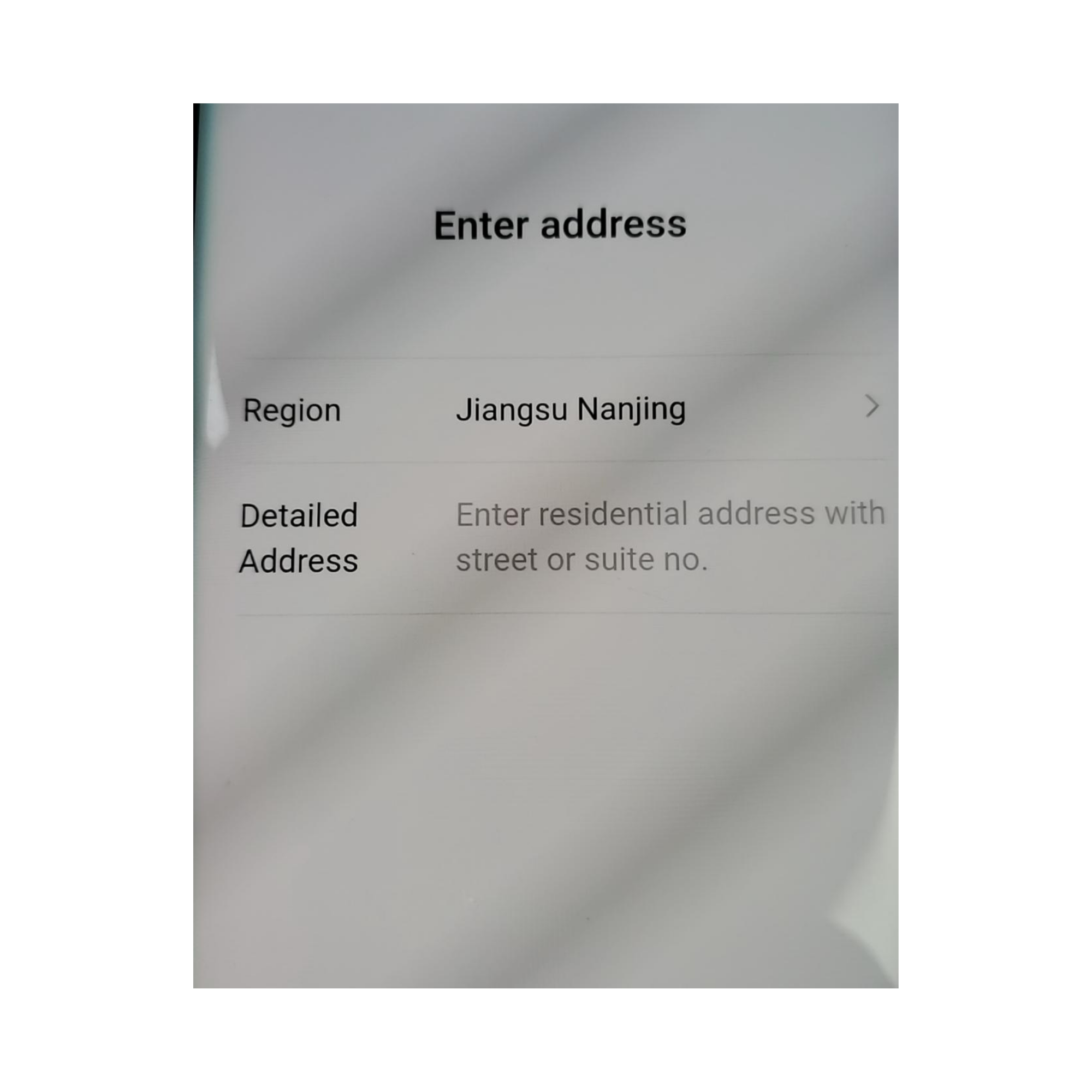
Enter your 16-digit card number, expiration date, and CVV code. You'll need to: (1) Enter your billing address, (2) Add your phone number for SMS verification, (3) Complete SMS verification (you'll get a code via text), (4) Set a 6-digit payment password (remember this — you'll need it for EVERY payment).
Note: WeChat will charge a tiny verification fee (like $0.05 USD) to confirm your card works.
Congratulations! You now have: ✅ A verified WeChat account ✅ WeChat Pay activated ✅ An international card linked for payments
Quick Reality Check: Foreign Card Limitations
Can't send Red Envelopes (红包 — hóngbāo) to friends
Can't do peer-to-peer transfers unless you later link a Chinese bank account
Transaction limits: Single transaction max is ¥6,500 RMB (~$900 USD), monthly max is ¥50,000 RMB (~$7,000 USD)
3% fee on purchases over ¥200 RMB (purchases under ¥200 RMB are fee-free)
For daily use — paying at restaurants, stores, taxis, food delivery — your international card works perfectly.
The WeChat Ecosystem: What You Can Actually Do
Now that you're set up, let me show you why WeChat is called a "super app." This thing does EVERYTHING.
1. Payments — The Main Event
This is what you'll use 50 times a day. There are two ways to pay with WeChat:
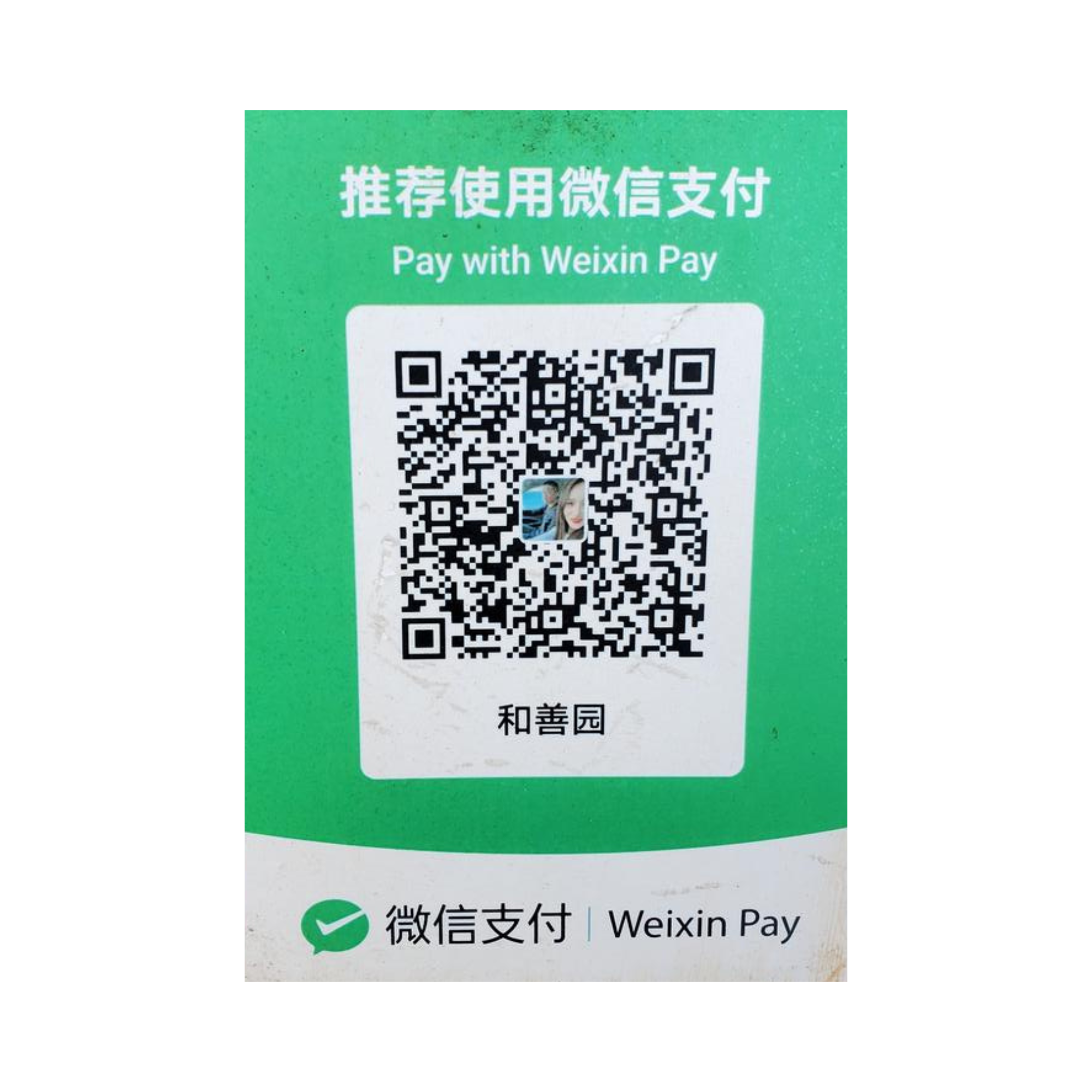
Method A: You Scan Their QR Code
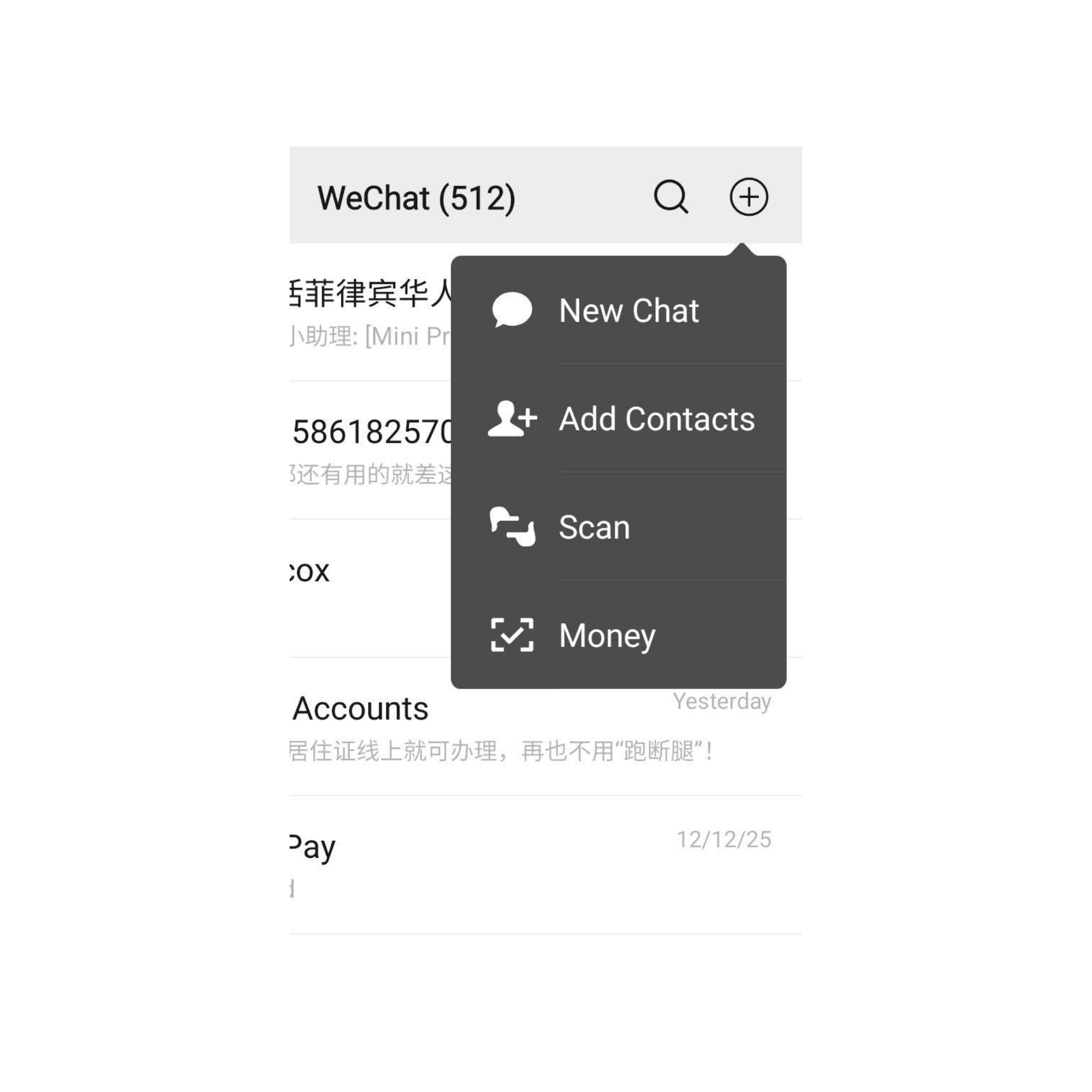
Walk into a store, restaurant, street food stall — anywhere. Look for a green sign that says "微信支付" (Weixin Pay) with a QR code. Open WeChat, tap the "+" icon at top right, select "Scan," and point your camera at their QR code. Enter the amount, type your 6-digit payment password, and boom — paid. Takes 5 seconds.
Method B: They Scan Your QR Code
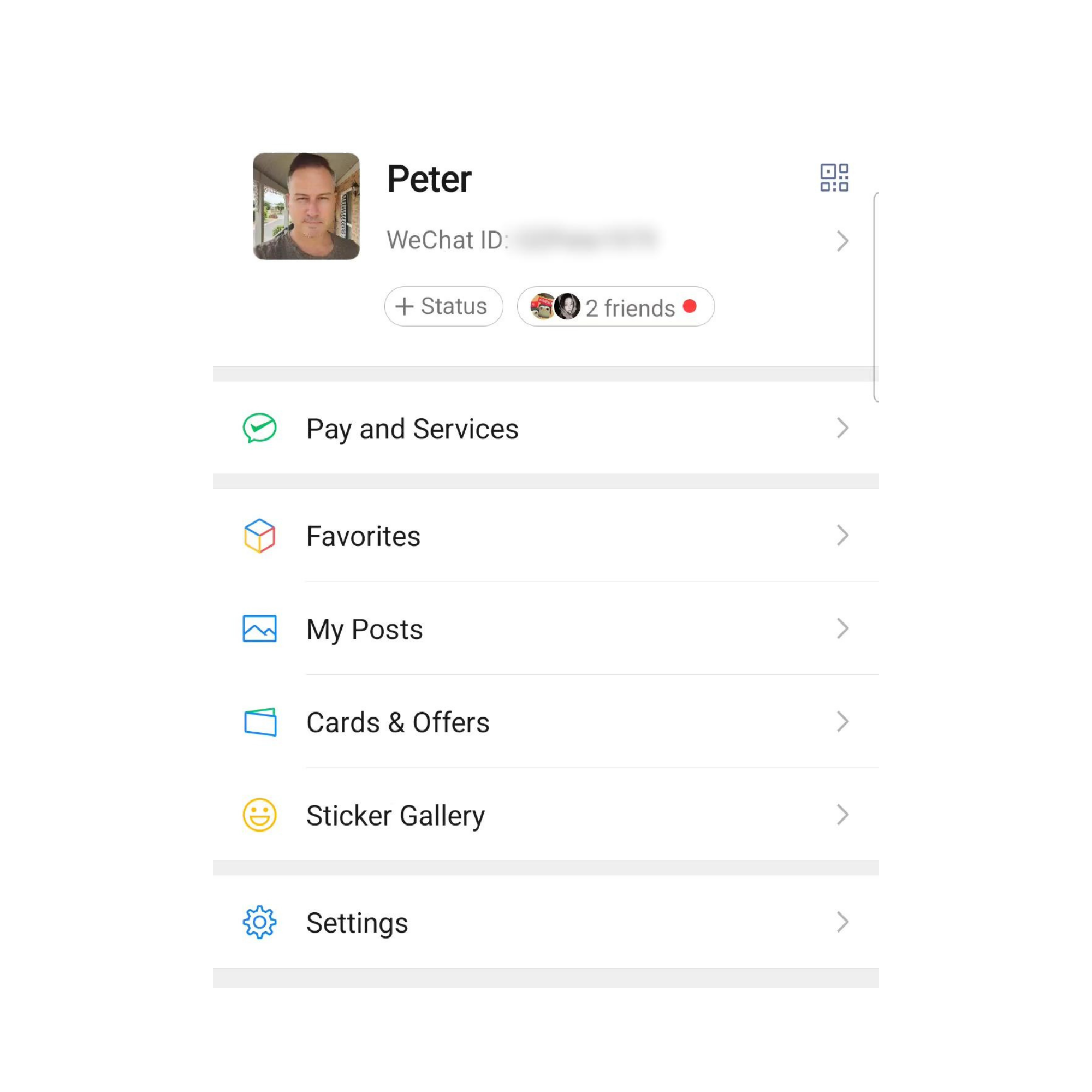
This is common at restaurants and larger stores. After your meal or shopping, tell them you're paying with WeChat. Open WeChat, go to: Me → Pay and Services → Money (or just tap the big green Money box). Show them your QR code on the screen. They scan it. Done. Walk away.
I've paid for everything from ¥2 street food to ¥390 Xinjiang BBQ dinners this way. It's seamless, fast, and you never fumble with cash or credit cards.
2. Transferring Money to Friends
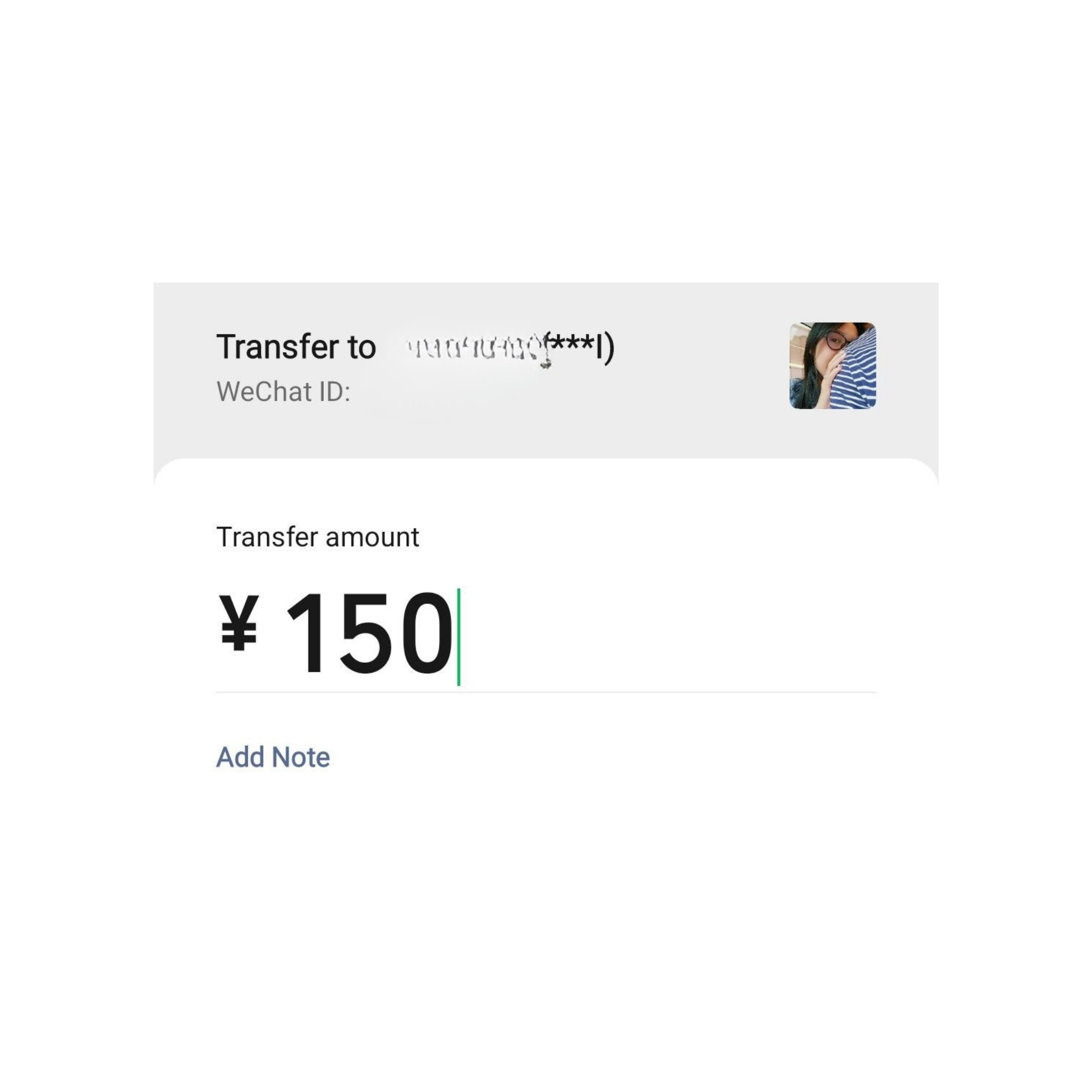
Need to split a dinner bill? Pay back a colleague? WeChat makes it instant. Open a chat with the person, tap the "+" icon, and select "Transfer." Enter the amount and hit "Transfer." They accept it, and the money moves instantly.
Important: This ONLY works if you have a Chinese bank account linked. With an international card, you can't do peer-to-peer transfers. But once you get your Chinese bank account set up (which you'll do after arriving), this feature unlocks.
3. Mini Programs (小程序 — Xiǎo Chéngxù)
This is where WeChat becomes a full ecosystem. Mini Programs are apps-within-the-app. You don't need to download separate apps for most services — they're all inside WeChat. Go to: Discover → Mini Programs
Here's what you'll use constantly:
DiDi (滴滴) — Book taxis and rides
Meituan (美团) — Order food delivery
Utility bill payments
Movie ticket booking
Railway 12306 — Book train tickets
And much more…
You'll see how many of these services we reference throughout this book. That's because WeChat is the gateway to almost everything you do in China.
4. Daily Services Hub
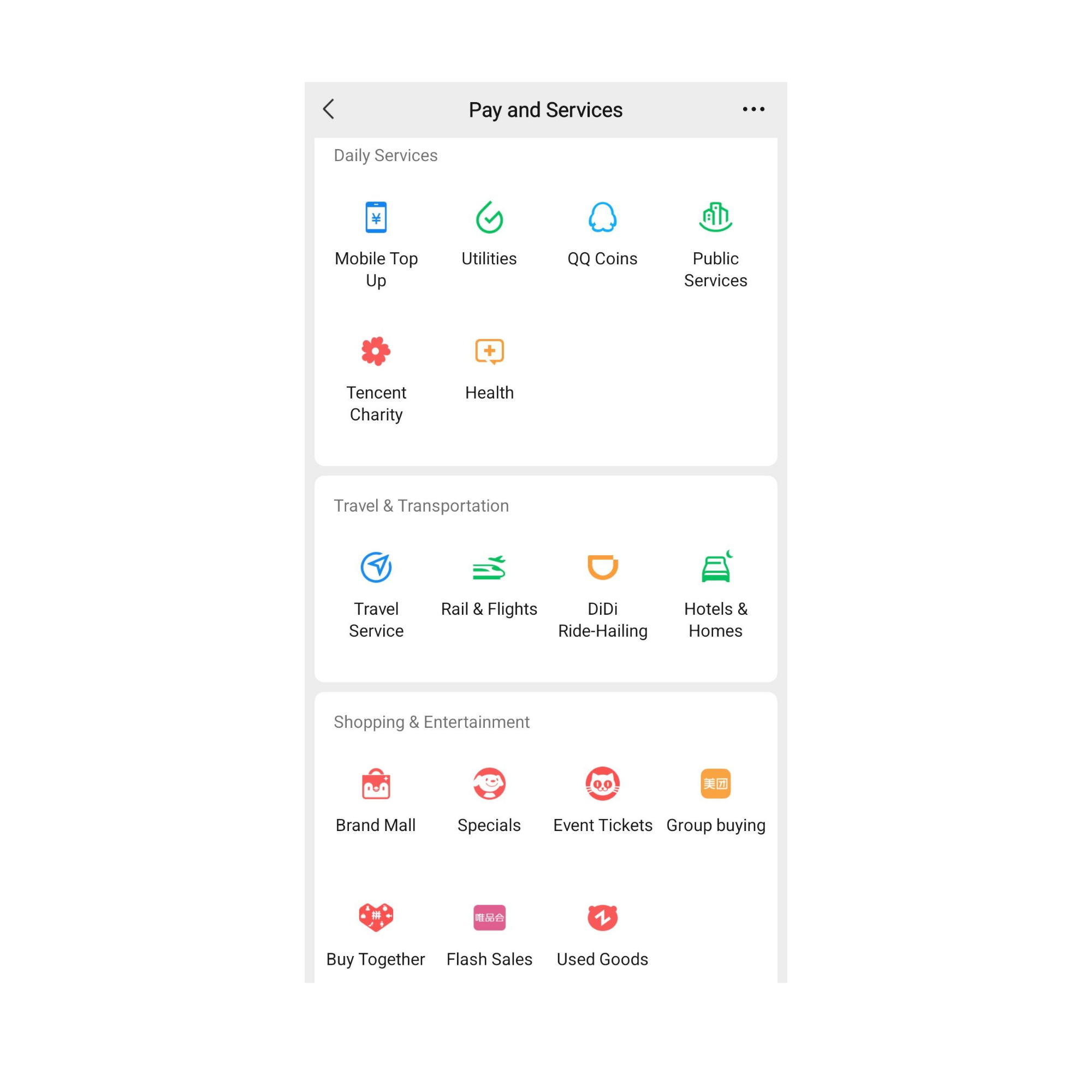
Go to: Me → Pay and Services. This is mission control for your life in China. You'll find:
Mobile Top Up — Add credit to your phone
Utilities — Pay water, electricity, gas bills
Public Services — Government services and permits
Travel & Transportation — Trains, flights, hotels, DiDi
Shopping & Entertainment — Meituan, event tickets, group buying
Every time you need to do something in China, your first thought should be: "Can I do this in WeChat?" The answer is usually yes.
5. Messaging (Oh Yeah, It Does That Too)
With all this payment and service stuff, it's easy to forget WeChat is also a messaging app. It works exactly like WhatsApp: text messages, voice messages (VERY popular in China), video calls, group chats, and voice calls.
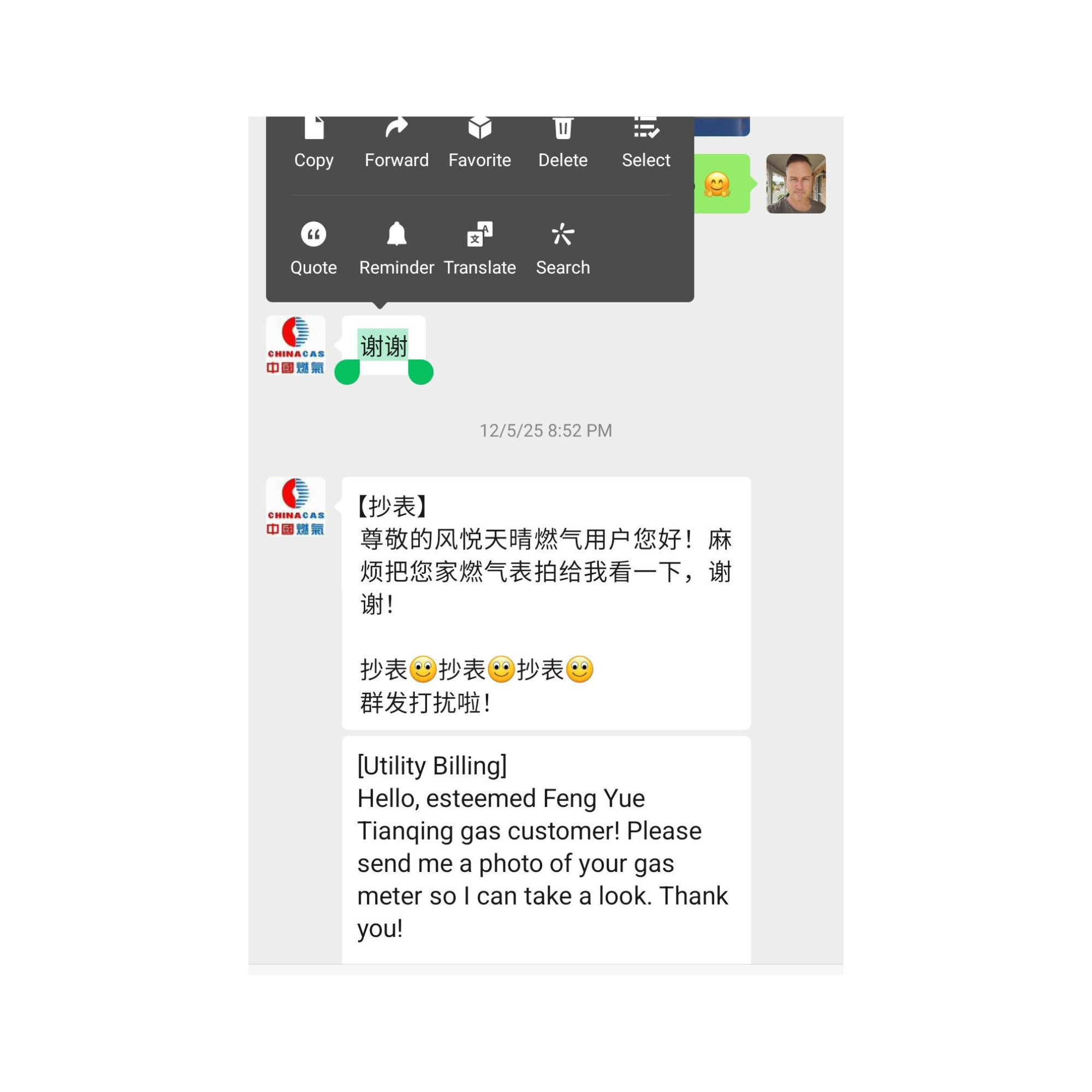
Pro tip: When Chinese people write to you in Chinese, you don't need to screenshot and use a translation tool. Just long press the message and tap "Translate" and it's translated to your language instantly. You can write to them in your language and they'll do the same for you.
6. Moments (朋友圈 — Péngyǒuquān)
This is WeChat's version of Facebook/Instagram feed. Go to Discover → Moments to see what your contacts are posting. You can share photos, updates, and see what everyone else is up to.
Final Setup Tips
Before you start using WeChat like crazy, do these things:
Add a Profile Picture — Go to Me → tap your profile picture → Set Profile Photo. Makes you look less like a bot and more trustworthy when adding contacts.
Set Your WeChat ID — Go to Me → WeChat ID. Set a clean, professional ID (like your name). You can only change this ONCE, so choose wisely.
Enable Face ID / Fingerprint for Payments — Go to Me → Pay and Services → (three dots) → Payment Settings → Biometric Payment. This lets you pay with Face ID instead of typing your 6-digit password every time. Huge time saver.
Turn on Translate Function — WeChat has built-in translation. Long-press any message and select "Translate" to see it in English. This is a lifesaver when chatting with local colleagues or reading Chinese announcements.
Chapter Summary
WeChat isn't just an app — it's how China works. You've now got:
A verified WeChat account
WeChat Pay activated with your international card
Understanding of how to pay (scan or be scanned)
Access to the entire mini-program ecosystem
A digital wallet that works everywhere
Throughout this book, you'll see WeChat referenced constantly — for ordering food, booking rides, paying bills, and more. That's because it's woven into the fabric of daily life here.